

What it is
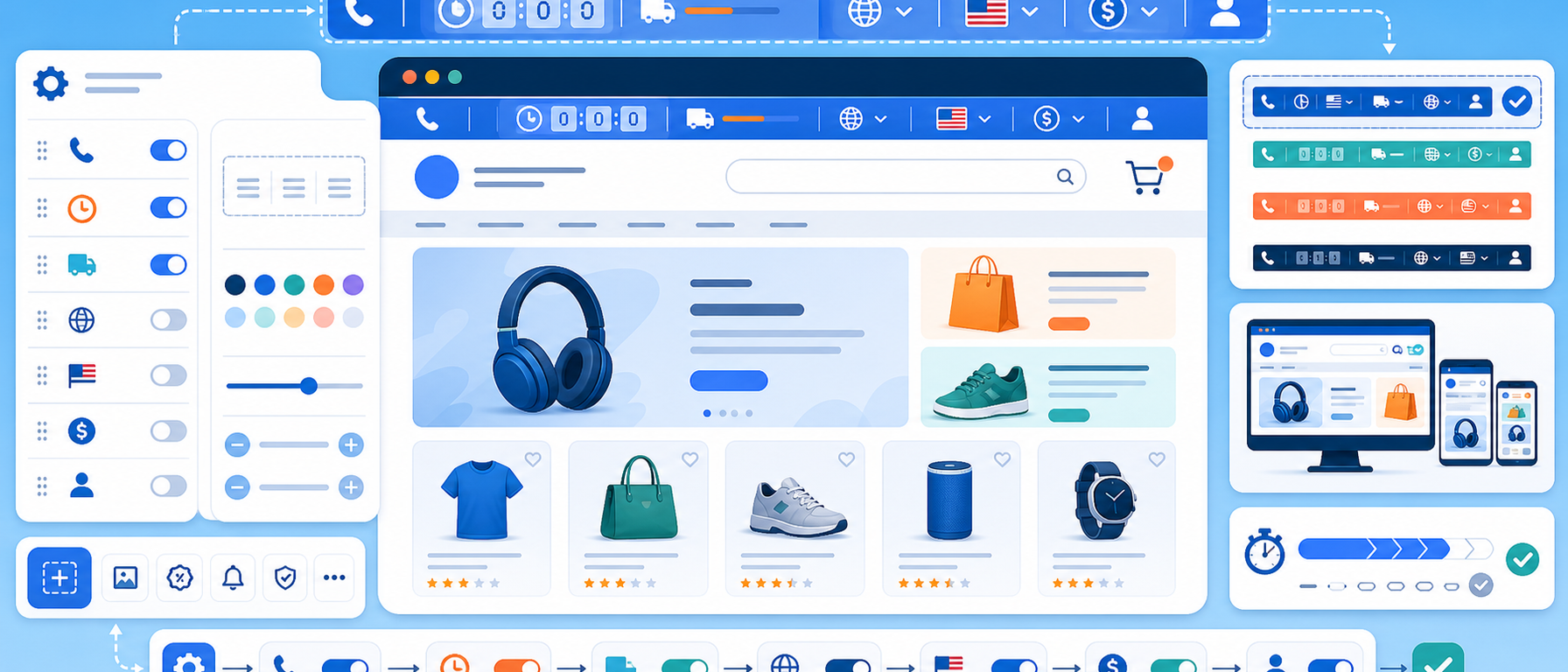
The Utility Bar module displays a fully configurable bar at the very top of every page of your PrestaShop store, for essential information and calls to action.
It can show a phone number, a mobile link, account links, language and currency selectors, scrolling announcement text and a countdown timer, so visitors get instant access to key information.
Each element can be enabled or disabled independently, and colours and content are set from the back office.
Why a top utility bar makes a difference
Visitors to your store want quick answers to basic questions: "How do I contact you?", "Can I browse in my language?", "Is there an offer ending soon?" The Utility Bar answers all of these in a single line at the top of every page.
Key features
- Phone and mobile contact: display your phone number with click-to-call, especially useful for mobile shoppers
- Account links: quick access to sign in, register and manage accounts directly from the bar
- Language and currency selectors: prominent, accessible switchers for the multilingual shopping experience
- Scrolling text announcements: promotions, notices or messages in a scrolling banner that does not disrupt the main layout
- Countdown timer: a built-in countdown for time-limited offers
- Full configurability: enable or disable each element independently and customise colours and content from the back office
Use cases
- Stores that want their phone number always visible, with click-to-call on mobile
- Multilingual stores that need prominent language and currency switchers
- Time-limited offers with a countdown timer and scrolling text
Benefits for the merchant
The bar turns an unused strip at the top of your site into a communication, navigation and marketing tool, without burdening your layout. Every element is optional, so you show exactly what matters to your store and your customers.
Technical details
- Compatible with PrestaShop 9
- Symfony-based, lightweight and built for the Hummingbird theme
Frequently asked questions
What does the Utility Bar show?
A phone number, a mobile link, account links, language and currency selectors, scrolling announcement text and a countdown timer, in one bar at the top of every page.
Can I turn off elements I do not need?
Yes. Each element can be enabled or disabled independently.
Can I change colours and content?
Yes. Colours and content are customised from the back office.
Which theme does it work with?
It is Symfony-based, lightweight and built for the Hummingbird theme of PrestaShop 9.
Get in touch
If you are interested in the Utility Bar module, or would like to discuss how to enhance the front-end of your PrestaShop store, contact us. We are here to help you find the best solution for your online store. You can also call us on +30 215 215 1362.