

What it is
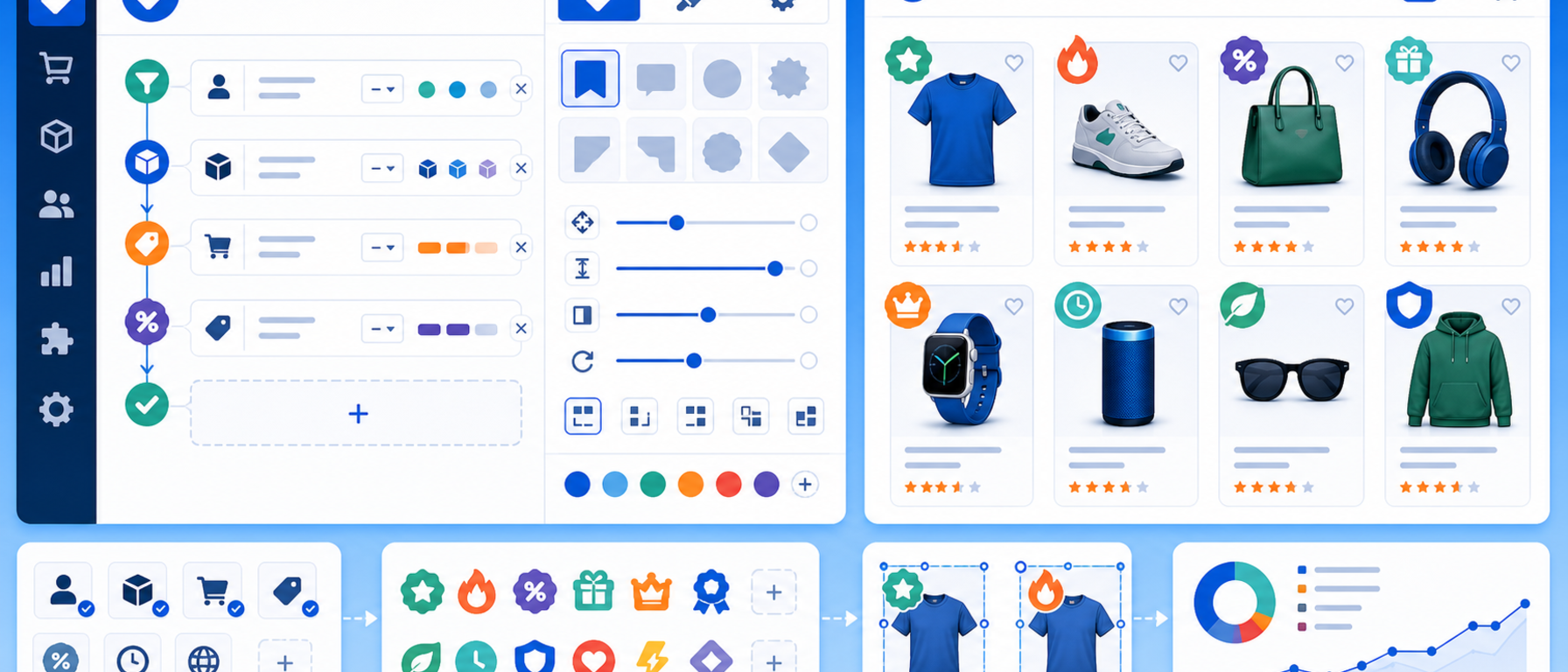
The Product Labels & Badges module gives you a complete rule-based label system for PrestaShop, built entirely with CSS shapes.
Labels such as "SALE", "NEW", "BEST SELLER" or "LOW STOCK" appear automatically on the right products, with no images.
You set the shape, colours, position and text of each label, as well as the rules that trigger it.
Why use product labels
Labels guide the visitor's eye and highlight the products you most want to sell. They give the visitor an immediate reason to engage with a product, whether through value, urgency or exclusivity.
Key features
Pure CSS, no images
There is no need to upload .png or .svg files for every label. The module generates labels entirely with CSS shapes: ribbons, badges, circles, triangles and other geometric forms. The result is easy maintenance and correct rendering on any resolution.
Rule Engine
Instead of manually assigning labels to each product, you define conditions and the module applies them automatically:
- If a product is on sale, show a "SALE" label with the discount percentage
- If a product was added within the last X days, show a "NEW" badge
- If stock falls below a threshold, show "LAST ITEMS"
- If a product belongs to a specific category or brand, show a custom label
Rules run automatically, so you do not need to open each product.
Displayed on listings and product pages
Labels appear on category listings, search results and individual product pages, so shoppers see the label at every point in their journey.
Full visual customisation
- Background and text colour per label
- Shape choice: ribbon, badge, circle, triangle and more
- Placement position: top-left, top-right, bottom-left, etc.
- Static or dynamic label text (for example "-20%", "Save €15")
Centralised back-office management
Create, edit and manage all labels from a single control panel with filtering, sorting and search. A built-in backup service lets you safely transfer your label settings between installations.
Use cases
- Black Friday and promotions: automatically show the discount percentage badge on every sale product
- New arrivals: a "NEW" badge applied automatically to products added in the last 30 days
- Urgency selling: a "LAST ITEMS" label on products with stock below 5 units
- Brand promotion: a custom label on all products from a specific manufacturer
Benefits for the merchant
Rules apply dynamically, with no manual product-by-product assignment, and labels adapt to every screen size.
Technical details
- Pure CSS, with no extra HTTP requests for image files
- Responsive by design: labels adapt to every screen size
- PrestaShop 9 native: built for the Symfony-based architecture
Who it is for
Every PrestaShop store that wants to highlight specific products and create a sense of urgency or value, without needing a designer or CSS expertise.
Frequently asked questions
What does Product Labels & Badges do?
It automatically shows labels such as "SALE", "NEW" and "LOW STOCK" on products, based on rules you define.
Do I need images?
No. Labels are generated entirely with CSS shapes.
Where do the labels appear?
On category listings, search results and product pages.
Can I customise how they look?
Yes. You choose background and text colour, shape, position and text, static or dynamic.
Get in touch
If you are interested in the Product Labels & Badges module, or would like to discuss how to highlight your products with labels, contact us. We are here to help you find the best solution for your online store. You can also call us on +30 215 215 1362.