

What it is
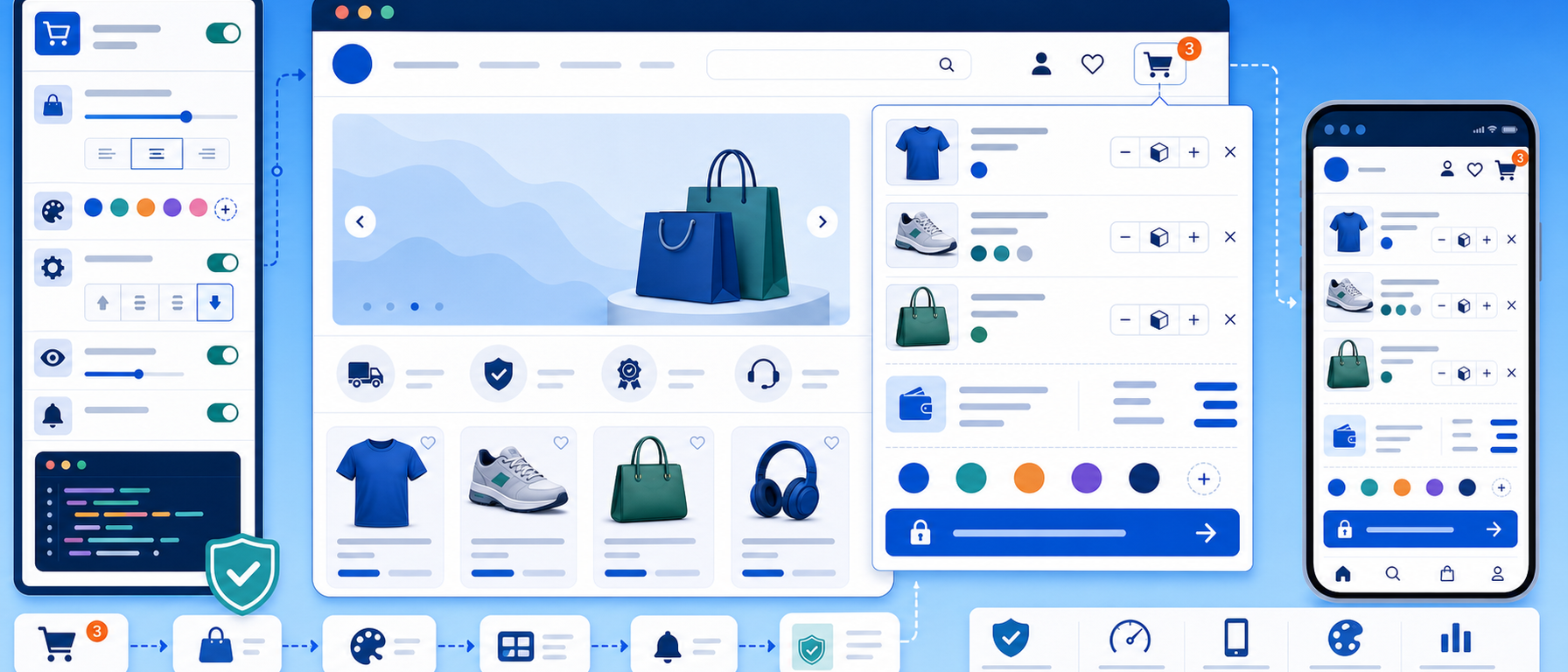
The Dropdown Mini Cart module adds a convenient dropdown shopping cart to the header of your PrestaShop store.
When a visitor hovers over the cart icon or clicks it, a pop-up panel shows the products they have added, so they do not have to leave the page they are on.
The module offers options to configure the appearance, the colours and how the cart is triggered, so it can match the look and needs of your store.
Key features
Header dropdown
The panel sits in the store header, next to the cart icon. Visitors see a preview of the products in the cart (image, name, quantity and price), the cart total updated in real time, and a direct link to checkout. They can also remove a product without leaving the page.
Visibility settings
The dropdown can open on hover, on click or both. You can show or hide it on mobile devices, and choose to display it only when the cart contains products.
Colours
You can set the background and text colour of the dropdown, the colours of the checkout and remove buttons, the border and shadow colour, and the colour of the product count badge.
Live updates
When a customer adds or removes a product, the mini cart refreshes without reloading the page. This is handled by the CartPresenterService, which communicates with the PrestaShop API.
Use cases
- Stores that want customers to keep browsing while the cart stays in view
- Stores that want direct access to checkout from the header
- Stores that need the dropdown hidden on mobile, or shown only when the cart contains products
Benefits for the merchant
- Visitors keep browsing while the cart stays in view
- The total is always visible, so there are no surprises at checkout
- Checkout is one click away, which shortens the path to payment and can help reduce abandoned carts
Technical details
- Built for PrestaShop 9 (Symfony-based architecture)
- Responsive: works on desktop, tablet and mobile
- Lightweight and optimised for page speed
- Installs and configures in minutes
Who it is for
Any PrestaShop store that wants to improve the user experience, reduce cart abandonment and give customers a smoother shopping journey.
Frequently asked questions
What does the Dropdown Mini Cart show?
It shows a preview of the products in the cart (image, name, quantity and price), the cart total updated in real time, a link to checkout, and the option to remove a product without leaving the page.
Can I control when the dropdown appears?
Yes. It can open on hover, on click or both, be shown or hidden on mobile devices, and be set to appear only when the cart contains products.
Can I change how it looks?
Yes. You can change the background and text colour, the button colours for checkout and remove, the border and shadow colour, and the colour of the product count badge.
Which PrestaShop version does it support?
It is built for PrestaShop 9, which uses a Symfony-based architecture. It is responsive, so it works on desktop, tablet and mobile.
Get in touch
If you are interested in the Dropdown Mini Cart module, or would like to discuss how to improve the shopping experience in your store, contact us. We are here to help you find the best solution for your online store. You can also call us on +30 215 215 1362.