

What it is
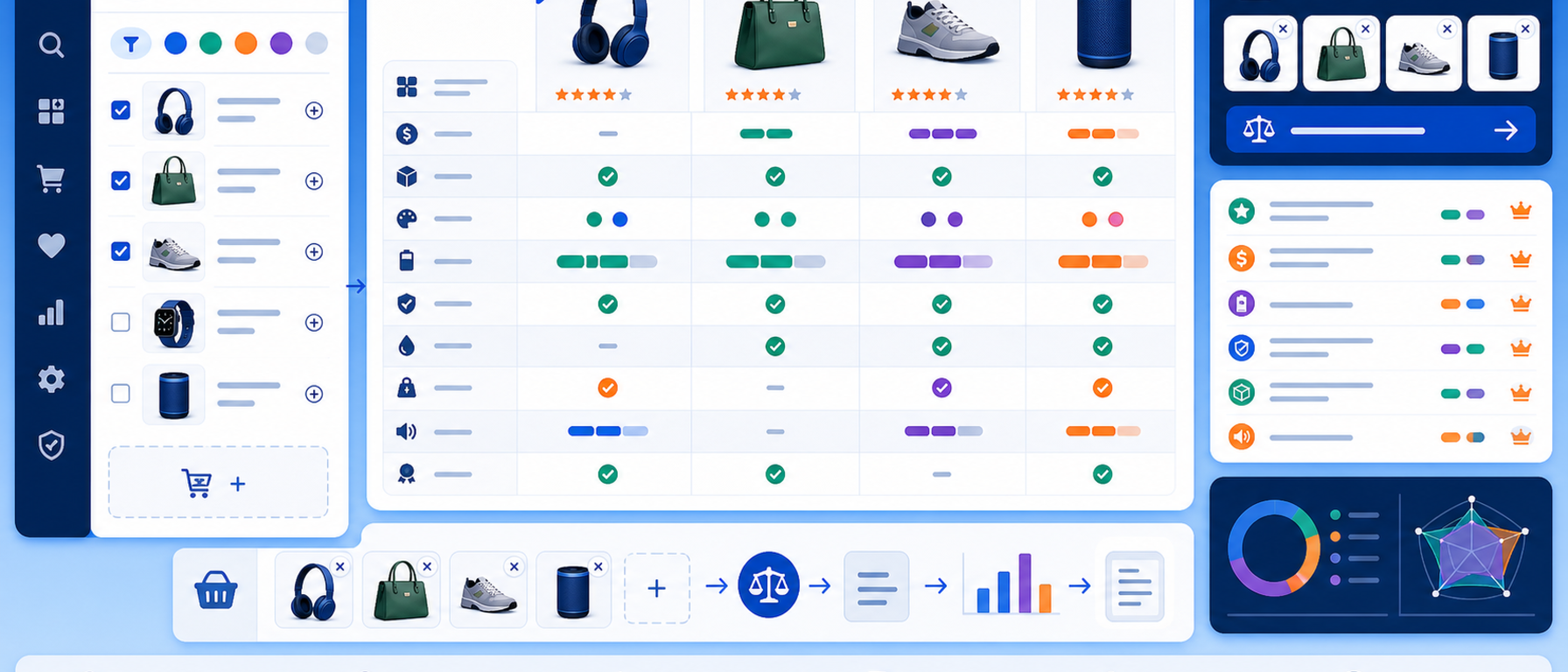
The Product Comparison module lets visitors to your PrestaShop store compare products side by side before they buy.
Customers see features, technical specifications and prices in a clear, structured table, with differences highlighted automatically.
You choose which attributes appear, how many products can be compared and in which categories the feature is active.
Key features
- Side-by-side product comparison (up to 4 products simultaneously)
- Compare features, attributes and technical specifications
- Price comparison with best-value highlighting
- Automatic highlighting of differences between products
- Add to cart directly from the comparison page
- Save and restore comparison lists per user session
- Mobile-responsive design: fully functional on smartphones and tablets
- Compatible with PrestaShop 8 and 9
Settings and customisation
- Choose which product attributes and features appear in the comparison table
- Set the maximum number of products allowed per comparison
- Enable or disable per category
- Full display control via CSS overrides
- Multistore and multilanguage support
How it works
Customers add products to the comparison list directly from category pages or product pages by clicking the "Compare" button. Once two or more products are selected, they are taken to a clean, full-width comparison page where all attributes are displayed in a structured table. Differences between products are highlighted automatically, making it easy to scan and decide.
Use cases
- Stores selling electronics and technology products
- Stores selling equipment
- Any category with multiple similar models
Benefits for the merchant
Comparison helps customers decide with confidence, because they see features, specifications and prices in one place. It is especially useful in categories with many similar models, where choosing is hard.
Technical details
- No core file modifications required
- Compatible with the Hummingbird and Classic themes, as well as custom themes
- No data sent to external servers
- Technical support and updates included
Frequently asked questions
How many products can be compared?
Up to 4 products at once. You set the maximum per comparison.
How do customers add products to the comparison?
By clicking the "Compare" button on category pages or on the product page.
What does the comparison page show?
Features, technical specifications and prices in a table, with differences highlighted automatically and an option to add to cart.
Which PrestaShop versions are supported?
PrestaShop 8 and PrestaShop 9.
Get in touch
If you are interested in the Product Comparison module, or would like to discuss how to help your customers choose more easily, contact us. We are here to help you find the best solution for your online store. You can also call us on +30 215 215 1362.