

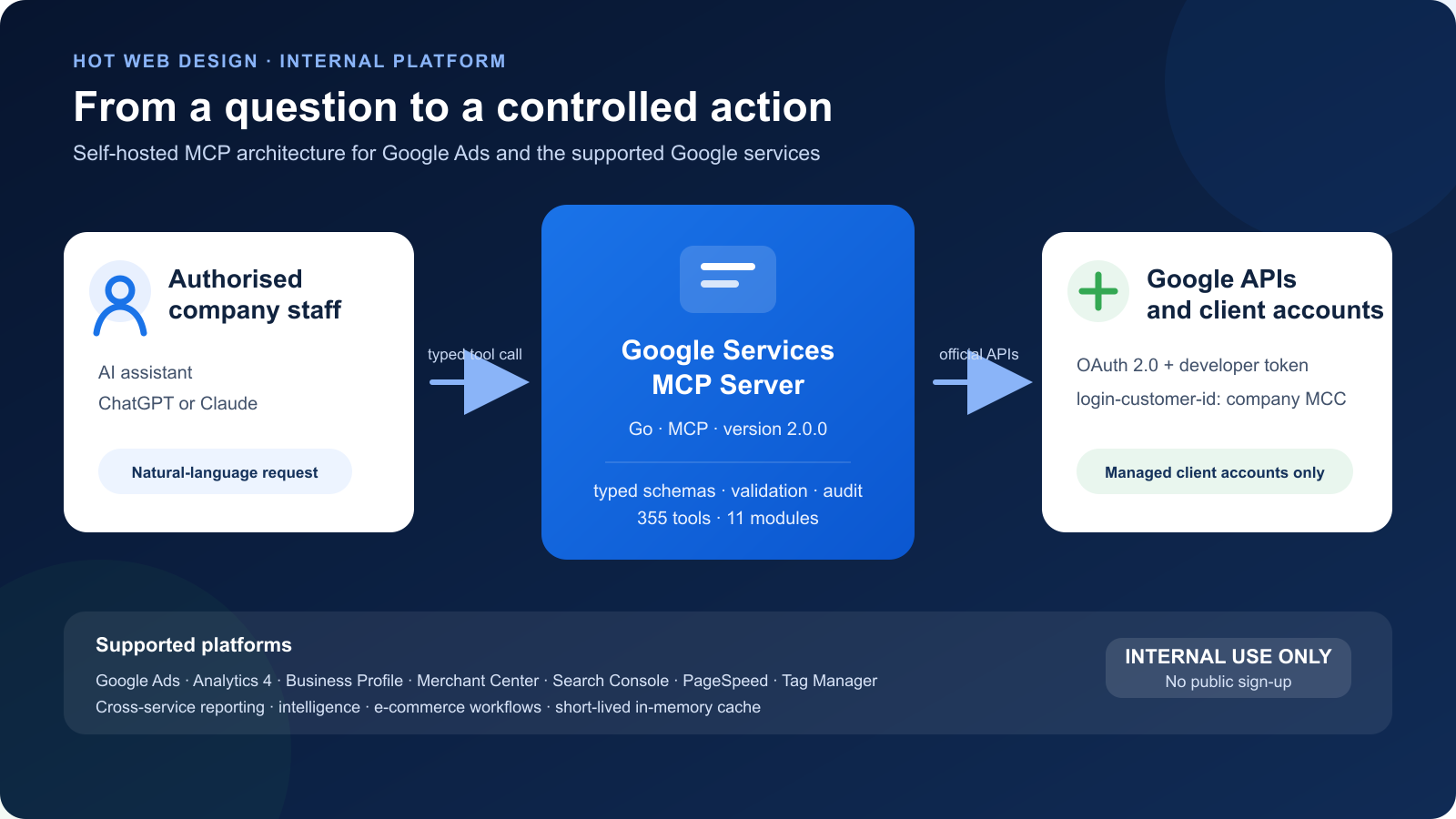
At HOT WEB DESIGN, we are developing the Google Services MCP Server, a proprietary application that connects our team with Google Ads and the other Google services we use to manage our clients' digital activity.
The tool is used exclusively by HOT WEB DESIGN staff for client accounts we already manage. It is not a public service, has no user registration, and is not distributed or resold to third parties.
Why we built the MCP Server
Managing a Google Ads account correctly requires more than a single report. It requires data from campaigns, search terms, conversions, Google Analytics 4, Merchant Center, Search Console, Business Profile, Tag Manager, and PageSpeed. At the same time, every change must be implemented accurately, checked before execution, and traceable afterwards.
The Google Services MCP Server brings these tasks into one controlled workflow. Through an AI assistant, our team can request data in natural language, receive structured analysis, and prepare specific changes without constantly moving between different platforms and accounts.
From data to a decision
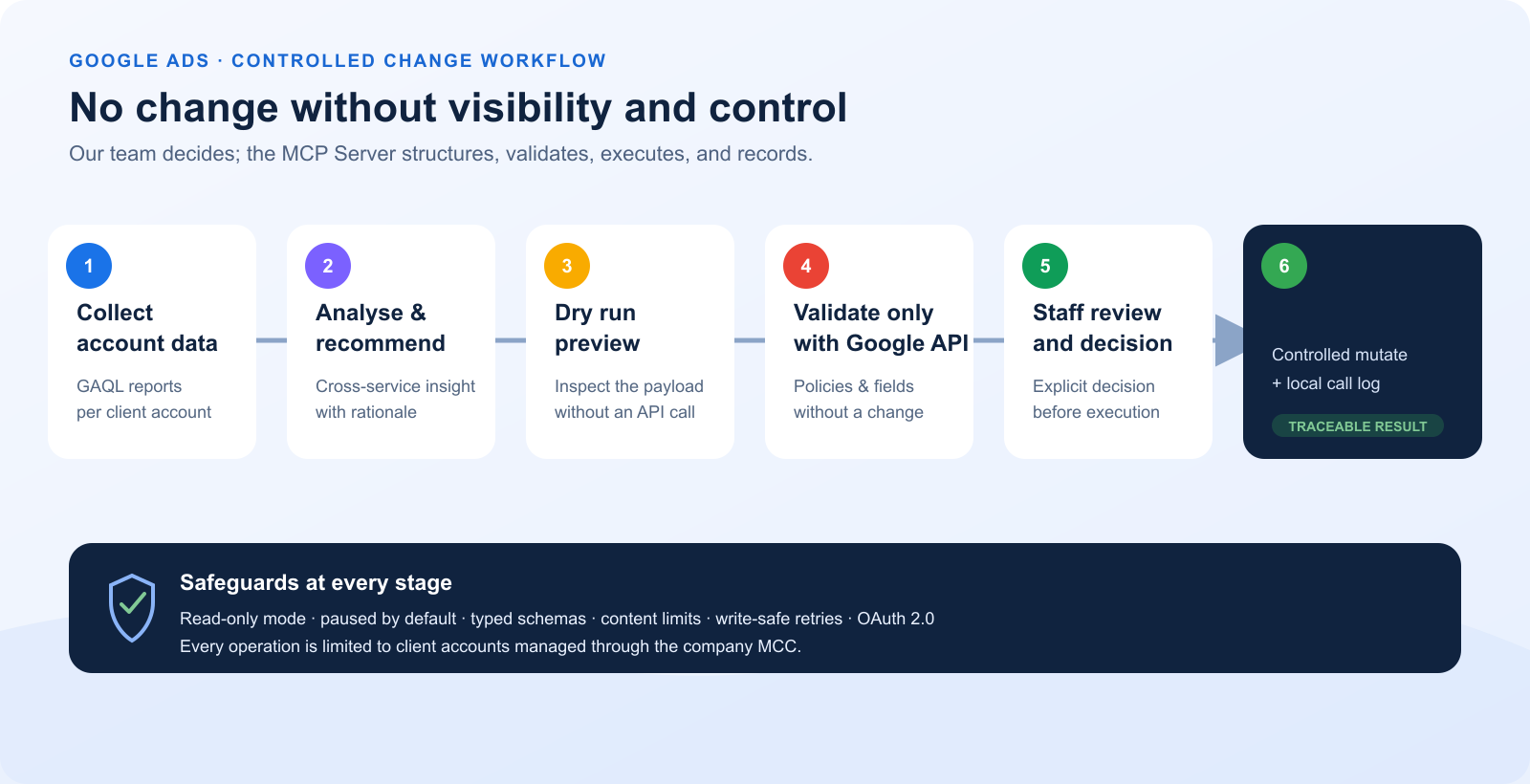
- We select the client account through our company Google Ads Manager Account.
- We collect the required data for a specific period, campaign, or business objective.
- We correlate measurements from the supported Google services.
- We identify issues and opportunities, such as wasted spend, low-quality traffic, weak ad assets, or incorrect conversion goals.
- We prepare the change and check it before sending it to the API.
- We apply the approved action and record the result in the local audit log.
Google Ads reporting and analysis
The Google Ads integration retrieves data with GAQL through GoogleAdsService.SearchStream and Search. Our team can build reports for:
- campaigns, budgets, and bidding strategies,
- ad groups, responsive search ads, and responsive display ads,
- keywords, negative keywords, and search terms,
- cost, clicks, impressions, CTR, conversions, conversion value, CPA, and ROAS,
- performance by device, geographic area, age, and gender,
- audiences, placements, and Performance Max asset groups,
- change history and recommendations.
Example daily review
For a Search account, we can request performance by campaign, ad group, keyword, and search term for the last 30 days. The MCP Server returns structured data that helps us identify search terms with spend but no conversions, keywords with declining performance, ad groups that need restructuring, and ads that need stronger headlines or descriptions.
The analysis can be combined with actual GA4 conversions and Search Console data. Recommendations are therefore based not only on Google Ads clicks, but also on the visitor's wider behaviour and the website's organic visibility.
Controlled Google Ads management
In addition to reporting, the application supports defined management workflows:
- creating and updating campaigns, budgets, and ad groups,
- adding or removing keywords, negative keywords, and campaign criteria,
- location and language targeting,
- creating and editing responsive search ads,
- updating conversion actions and campaign conversion goals,
- managing Performance Max asset groups, assets, listing groups, and signals,
- sitelinks, callouts, campaign assets, and brand assets,
- placement exclusions for websites, applications, and YouTube placements,
- applying selected Google Ads recommendations.
Data from supported Google services
Application version 2.0.0 contains more than 360 typed MCP tools across eleven independent modules. Data and operations are organised by service:
| Service | How we use it |
|---|---|
| Google Ads | Reporting, campaigns, budgets, ads, keywords, conversions, targeting, and Performance Max. |
| Google Analytics 4 | Traffic, events, audiences, key events, and actual user behaviour. |
| Merchant Center | Products, inventory, promotions, shipping, and commerce reports. |
| Google Business Profile | Locations, performance, media, posts, questions, and reviews. |
| Search Console | Search analytics, URL inspection, indexing, and sitemaps. |
| PageSpeed Insights | Core Web Vitals, Lighthouse diagnostics, and technical optimisation recommendations. |
| Google Tag Manager | Workspaces, tags, triggers, variables, versions, preview, and publishing. |
| Cross-service modules | Unified reports, Ads/Analytics correlation, and e-commerce workflows. |
How it improves implementation
The value of the tool is not simply that it gathers more data. It helps us turn analysis into a clear and repeatable process:
- Complete context: decisions can include advertising, analytics, organic search, product-feed, and technical-performance data.
- Consistent reviews: every account can be evaluated with the same methodology and KPIs.
- Fewer manual errors: typed schemas validate customer IDs, resource names, amounts in micros, dates, and enum values.
- Faster response: the team moves more quickly from detecting an issue to preparing a documented recommendation.
- Traceability: calls and outcomes are shown in the application's audit log.
Technical architecture
- Self-hosted application written in Go using the open Model Context Protocol.
- Compatible AI clients connect through streamable HTTP or
stdio. - Google OAuth 2.0 and official Google APIs.
- The Google Ads MCC is sent as
login-customer-id, while every tool operates on a client customer ID. - Google Ads API v25, with a configurable version for timely upgrades.
- Bounded concurrency, connection pooling, short-lived in-memory caching, and exponential back-off with jitter.
- The local control panel is available only on
127.0.0.1, and a secret token protects the MCP endpoint.
Safety before every change
| Mechanism | Behaviour |
|---|---|
dry_run | Displays the request payload without sending anything to Google. |
validate_only | The Google Ads API checks permissions, required fields, and policies without changing the account. |
| Paused by default | New campaigns, ad groups, and Performance Max asset groups are created PAUSED unless another status is explicitly requested. |
| Read-only mode | A central switch immediately blocks all write tools. |
| Write-safe retries | Non-idempotent writes are retried only when safe, preventing duplicate operations. |
| Content validation | Checks text limits, asset counts, enum values, image content type, and size. |
| Audit log | Records the time, tool, customer ID, duration, and outcome of every call. |
Data handling and privacy
The application uses account structure, campaign settings, and aggregate performance metrics. It does not request end-user personal data. API results remain in memory for the duration of a request and, optionally, in a cache for a few minutes. Google Ads data is not stored in a database.
OAuth refresh tokens and local configuration are stored on the company machine with owner-only permissions. Results are displayed only to authorised staff using the application to manage our clients.
The control panel
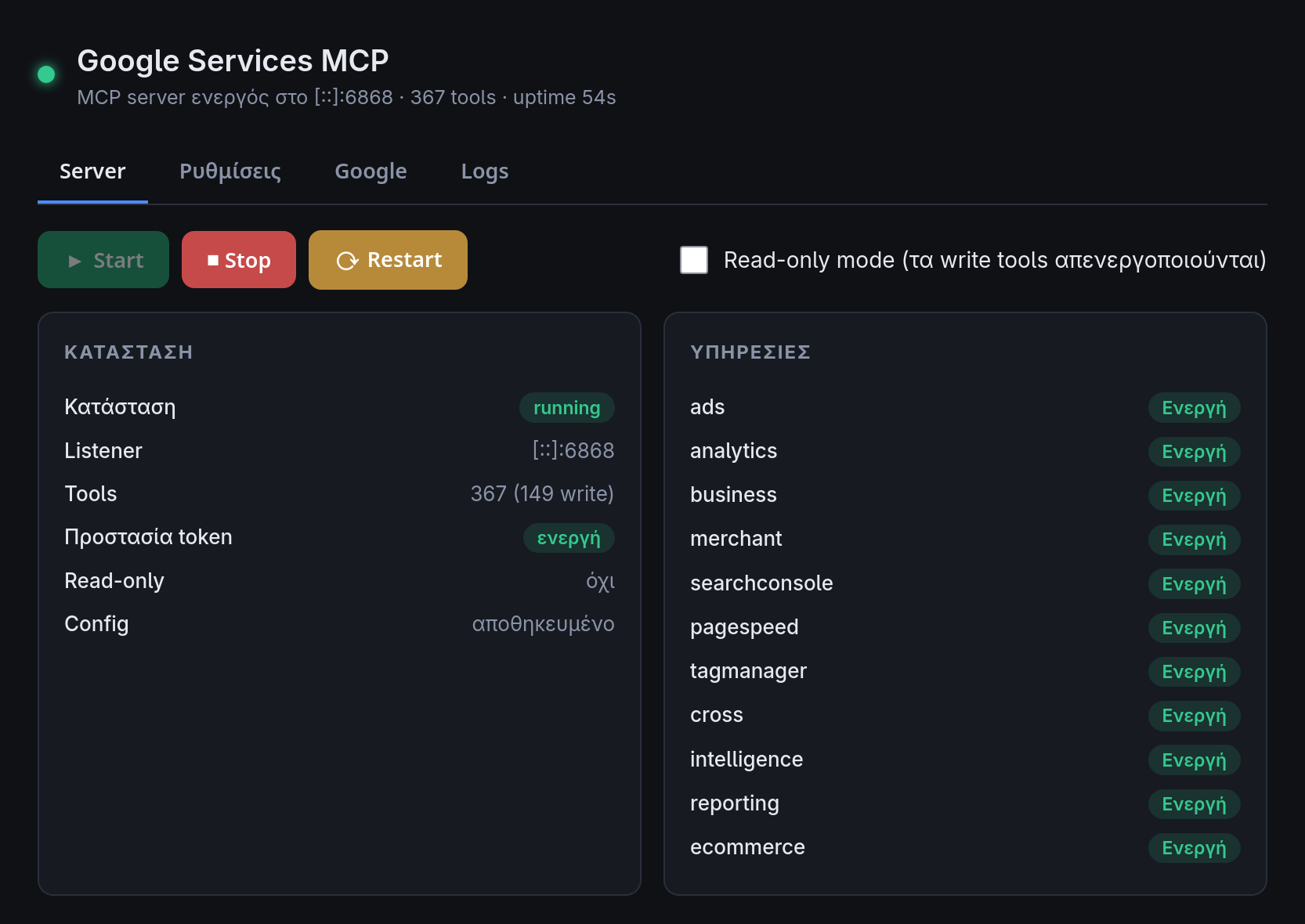
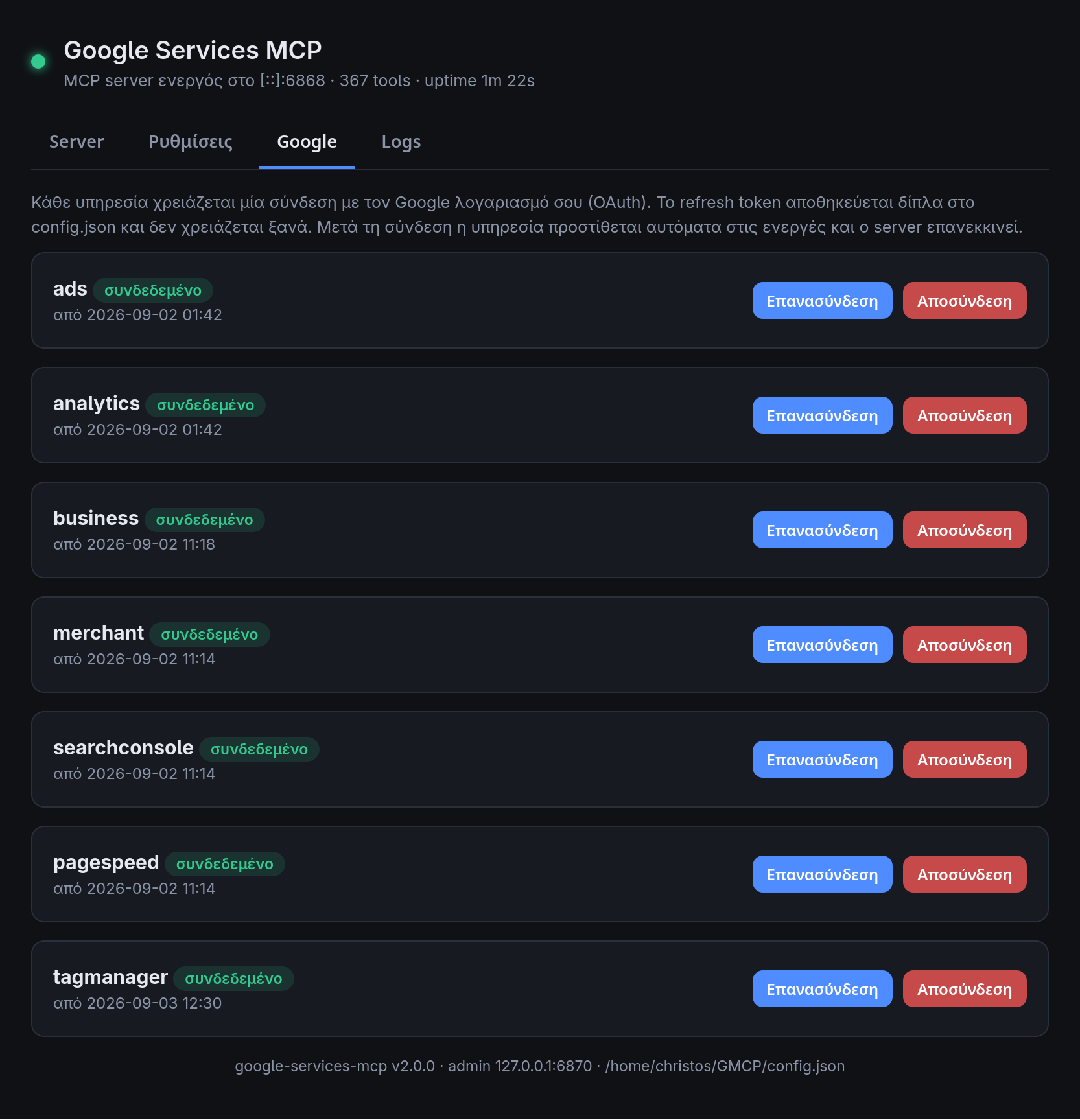
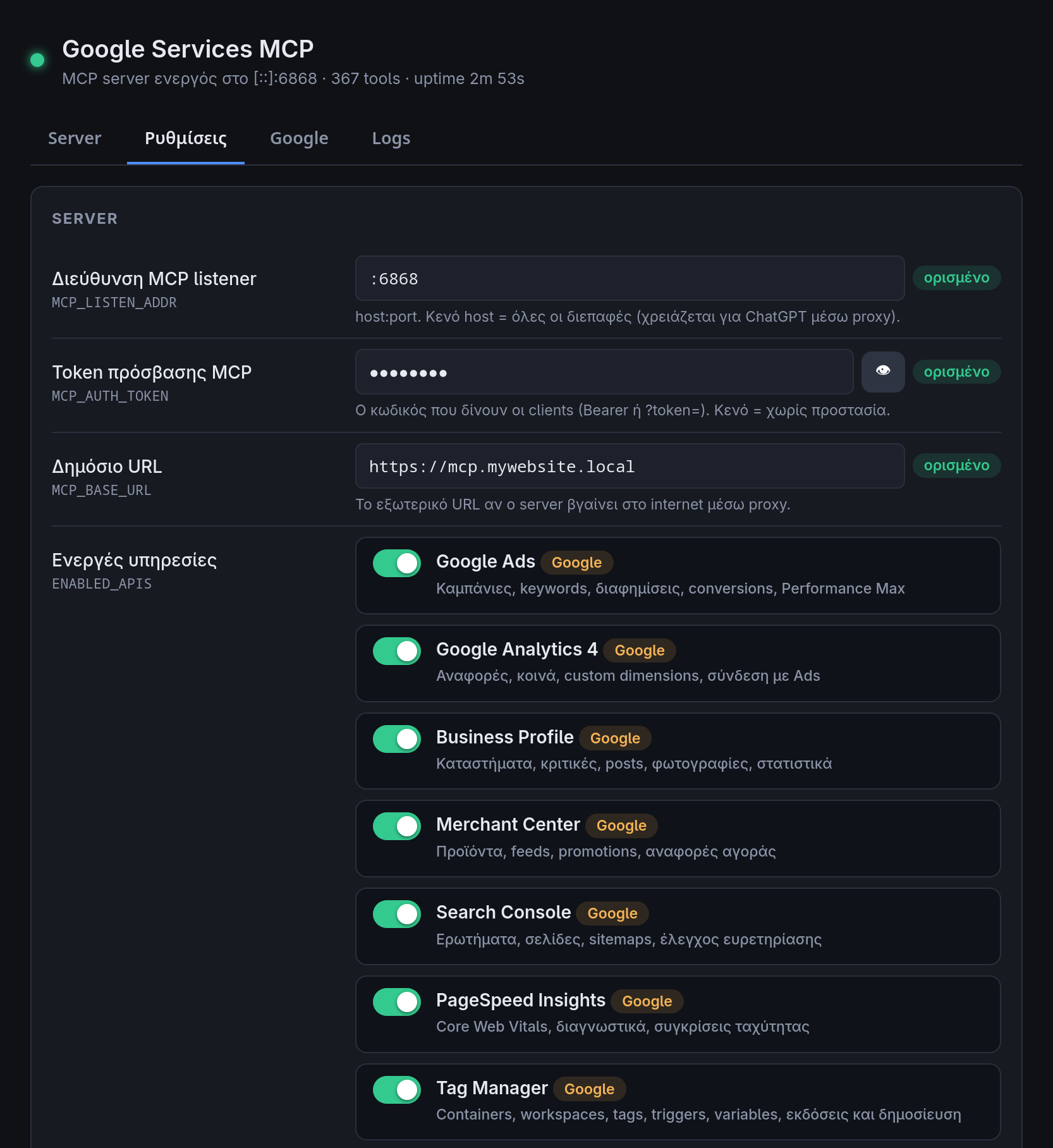
The application includes an embedded local control panel with four main areas: Server, Settings, Google, and Logs.
A tool designed for our own team
The Google Services MCP Server evolves around HOT WEB DESIGN's real operational needs. Every capability is added to improve how we analyse data, document decisions, and implement changes in the accounts our clients have entrusted us to manage.