

What it is
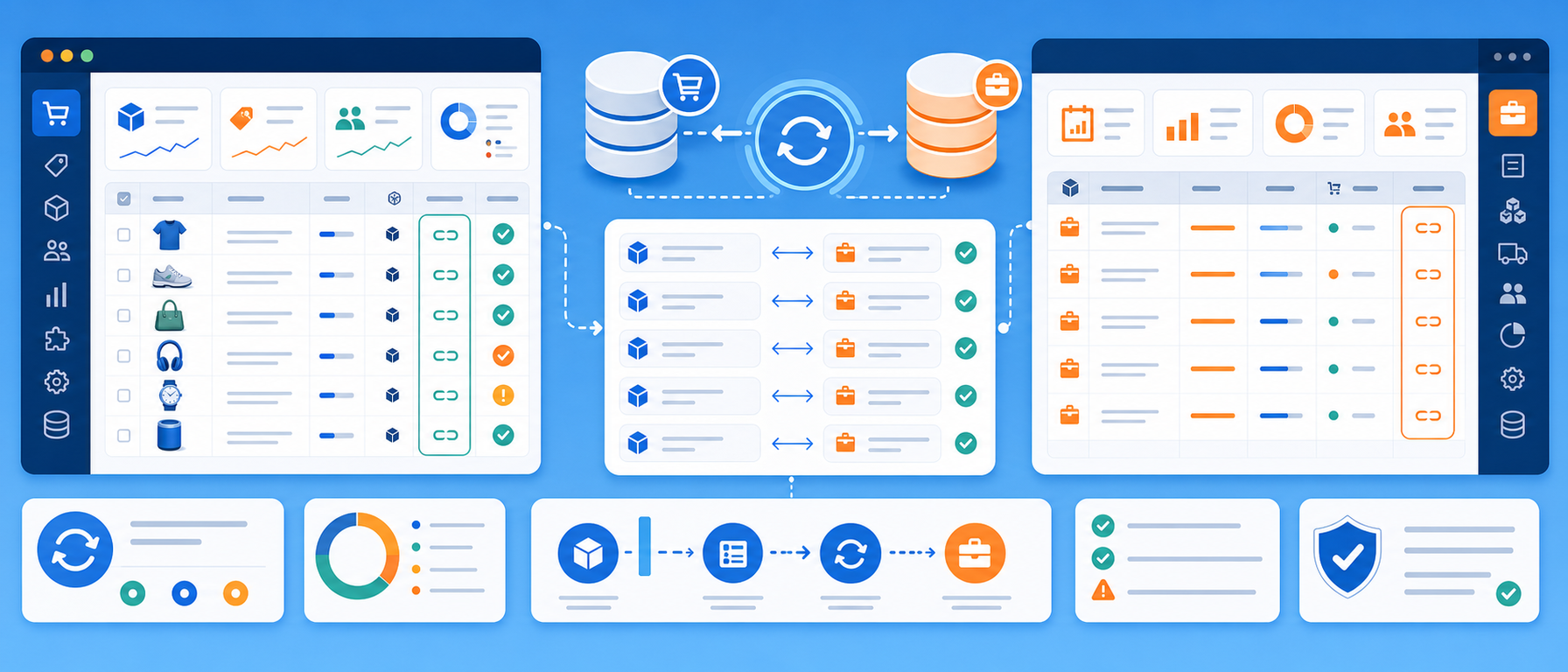
The SoftOne ID Editor module adds a dedicated SoftOne ID (s1_id) field to every product in the PrestaShop back office.
Each product in your store is then linked to its counterpart in the SoftOne ERP, for businesses that run SoftOne for warehouse management, invoicing and order processing.
The field is the foundation for any integration or synchronisation workflow between PrestaShop and SoftOne.
Why product ID mapping between store and ERP matters
When an online store operates alongside an ERP, reliable product mapping is fundamental. Without it, automatic stock updates, price synchronisation and order transfers cannot work correctly. The SoftOne ID Editor ensures that every PrestaShop product has its corresponding SoftOne ID recorded.
Key features
- Dedicated s1_id field on every product: a SoftOne ID input field appears on each product's edit page in the back office
- Easy ID entry and updates: administrators enter or update the SoftOne ID for each product from the familiar back-office interface
- Foundation for ERP integration: the s1_id value is the mapping key for stock synchronisation, price updates and order transfers
- Controlled database schema setup: the module does not alter the database on installation, and the s1_id column is created on demand from the settings page
Use cases
- Synchronising stock and prices between the ERP and the online store, automatically or semi-automatically
- Transferring orders between PrestaShop and SoftOne
- Keeping one central ERP reference ID against each product
Benefits for the merchant
Every product in your store gets a reliable ERP reference. This is the bridge that makes automated workflows possible, reduces manual data entry and keeps your warehouse system and your online storefront consistent.
Technical details
- Compatible with PrestaShop 9, Symfony-based, lightweight and upgrade-safe
Who it is for
This module is for:
- Businesses using SoftOne ERP for warehouse management and accounting that also run a PrestaShop store
- Merchants who want to synchronise stock and prices between their ERP and online store
- Development teams building a custom integration between PrestaShop and SoftOne via API or connector middleware
- Any store needing a central ERP reference ID stored against each product
Frequently asked questions
What does the SoftOne ID Editor do?
It adds a dedicated SoftOne ID (s1_id) field to every product in the PrestaShop back office, to map products to the SoftOne ERP.
What is the s1_id used for?
It is the mapping key for stock synchronisation, price updates and order transfers between PrestaShop and SoftOne.
Does it change the database on installation?
No. The module does not alter the database on installation. The s1_id column is created on demand from the settings page.
Who is it for?
Businesses that use SoftOne ERP for warehouse management and accounting and want to connect it with their PrestaShop store.
Get in touch
If you are interested in the SoftOne ID Editor module, or would like to discuss custom integration solutions for your online business, contact us. We are here to help you find the best solution for your online store. You can also call us on +30 215 215 1362.